What it does
The calculator estimates how many units you need to sell, and how much revenue you need, to reach break-even. Break-even is the point where total revenue equals total cost, so net profit is zero.
Instructions / United States
This page explains what the calculator does, who should use it, what each input means, and how to interpret the result for a real business.
The calculator estimates how many units you need to sell, and how much revenue you need, to reach break-even. Break-even is the point where total revenue equals total cost, so net profit is zero.
It is useful for store owners, operators, small manufacturers, and service businesses that want a quick view of how many units they need to sell to cover their costs.
Contribution margin per unit = Price per unit - Variable cost per unit
Break-even units = Fixed costs ÷ Contribution margin per unit
Break-even revenue = Break-even units × Price per unit
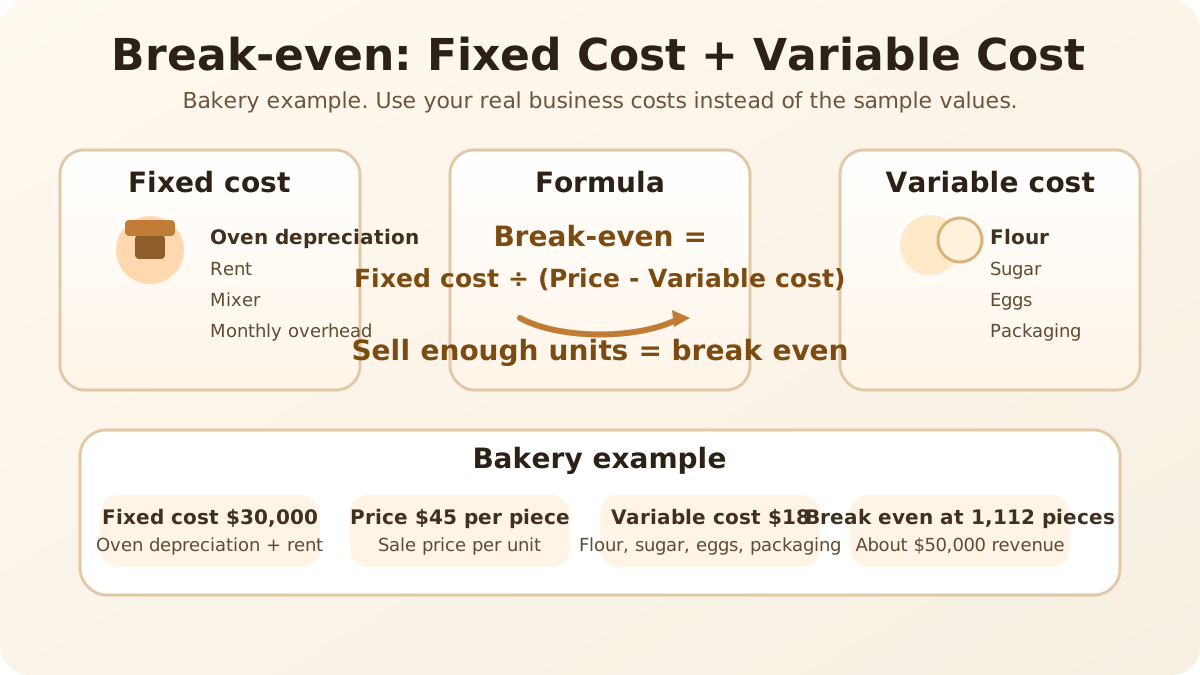
A bakery with oven depreciation and rent totaling $30,000 per month sells pastries at $45 each and has variable costs such as flour, sugar, eggs, and packaging of $18 per item.
Contribution margin per unit = 45 - 18 = 27 dollars
Break-even units = 30,000 ÷ 27 = 1,111.11 units
Round up to 1,112 units and about $50,000 in sales.
If you sell fewer units than break-even, the business is still recovering fixed costs. If you sell more units, the extra sales start producing profit.